Multi-session development
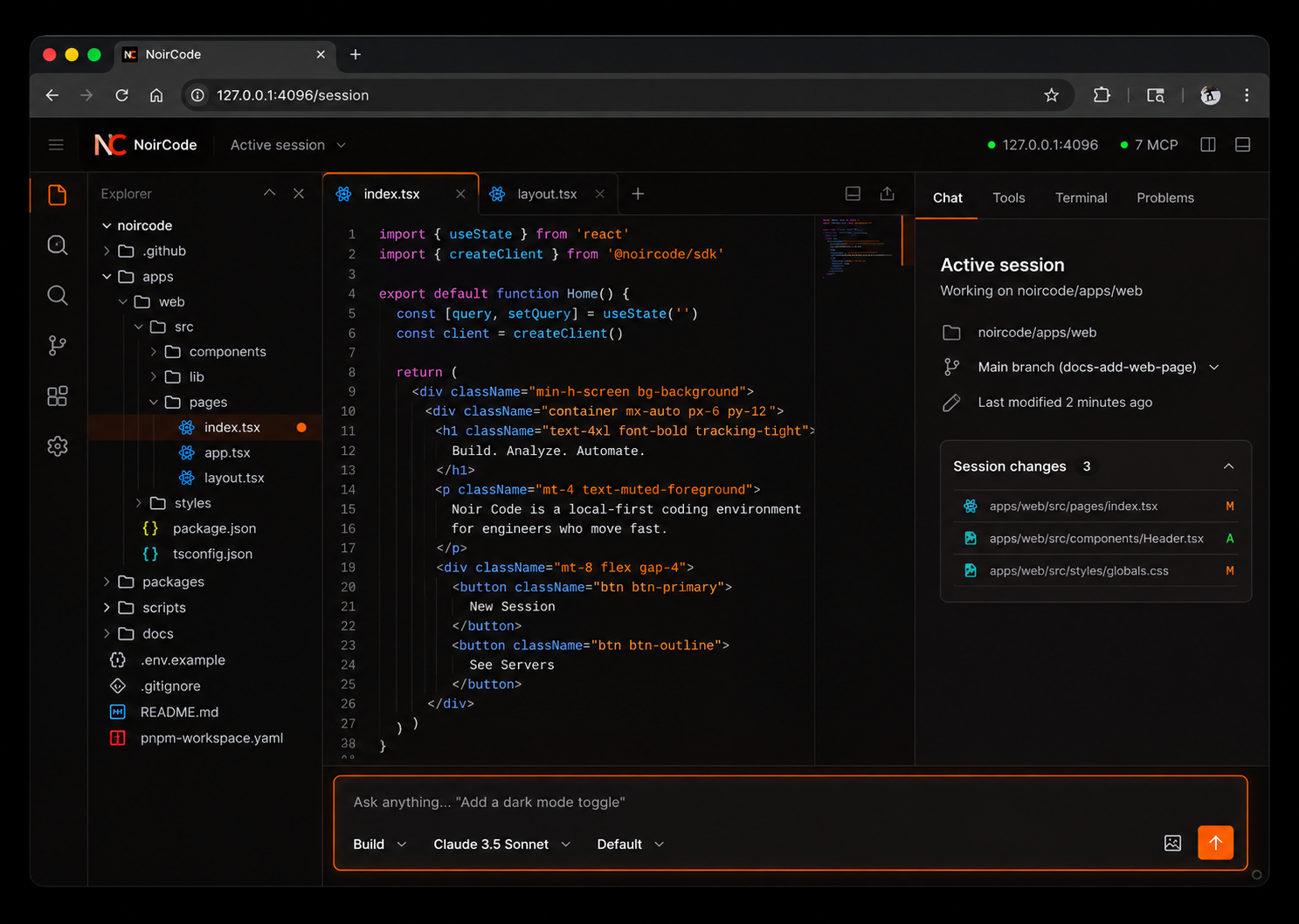
Run multiple AI coding sessions in parallel, allowing you to work on different tasks within the same project.
The local coding agent
NoirCode is a coding agent that works in your repository, executes tools, and stays under your control. The terminal, the desktop app, and noircode pair share one server on your machine.
Your repository stays on your machine.
01 About
NoirCode is a local-first AI coding agent that helps you build, debug, and maintain software from your terminal, IDE, or desktop.
Work directly with your codebase, connect your preferred AI models, and control how agents interact with your files, tools, and development environment.
Run multiple AI coding sessions in parallel, allowing you to work on different tasks within the same project.
Connect your GitHub Copilot account to access supported AI models and development workflows.
Connect supported OpenAI services and models using available authentication methods.
Work with a broad range of AI providers, including OpenAI, Anthropic, Google Gemini, DeepSeek, Qwen, OpenRouter, and locally hosted models through Ollama or LM Studio.
Use NoirCode through its terminal interface, desktop application, or supported editor integrations.
Keep your development environment under your control, with a local server that manages sessions, tools, and permissions.
Plan changes, explore repositories, generate code, execute commands, run tests, and review results through configurable agents.
Define which files, commands, and tools agents can access, with options to allow, deny, or require approval.
Your codebase. Your models. Your environment. NoirCode.
02 Product
The model answers. NoirCode is the part that holds the session, runs the tools, and asks before it touches the machine.
The repository stays on disk. Sessions live in a local database. A provider only sees the prompt assembled for that step.
How control worksConnect Claude, GPT, Gemini, DeepSeek, OpenRouter, or a model you host. /models picks it for the session.
Not a chat box. The agent can read files, search the tree, run the shell, and write a patch. Permissions allow, deny, or ask.
PermissionsAdd agents, plugins, commands, and MCP servers. Themes, keybindings, and permissions live in config you control.
Agents guide03 Session
You choose the agent and the model. NoirCode does not route the prompt to a different vendor on its own.
04 Agents
A session starts on an agent. Primary agents hold the conversation. Subagents take one task in a child session.
Primary
Primary
Subagent
Yours
.noircode/agents/reviewer.md switch_agent.@mention one.05 Platform
The local server is the center. Protocols, skills, and tools attach to it, and permissions still decide what runs.
One process owns the session, the config, and the permission check. The terminal, the desktop app, and noircode pair share it. noircode serve runs that process in the foreground.
Connect a Model Context Protocol server and the agent can use its tools, prompts, and resources. Add only the servers a project needs.
MCPnoircode acp speaks the Agent Client Protocol, so a client such as Zed can run NoirCode. Sign in from a terminal before the client starts.
A skill is a SKILL.md the agent loads when the task matches. Keep scripts and references beside it under .noircode/skills.
A plugin registers a tool with a name, a description, and an input schema. The agent calls it under the same permission rules as read, edit, and shell.
PluginsLanguage-server settings are kept in config. This release does not start those servers or expose LSP tools. Use the typecheck and lint commands you already allow.
Config notes06 Models
Connect a provider with /connect, or point a baseURL at a server on your network. Ollama and LM Studio are discovered locally. Model availability depends on the provider, your credentials, and the current integration.
07 Control
One backend for the CLI, desktop app, and noircode pair. --standalone keeps a private process.
Allow, deny, or ask for a path or a command. Build already asks before it reads sensitive environment files.
Use a cloud model, or a host you run. A policy can deny every provider except the one you allow.
08 Start
01
02
03
Add retry logic to the API client.
09 Release
A local-first AI coding environment built for developers who want control over their code, models, and tools.
The NoirCode CLI and desktop application are being prepared for public release on Windows, macOS, and Linux.
Distribution coming soon.
Follow development on GitHub and explore the documentation while the first release is being prepared.
NoirCode — Your code. Your models. Your environment.
CLI, agents, config, permissions, and the local server API.